> For the complete documentation index, see [llms.txt](https://docs.theseaai.com/llms.txt). Markdown versions of documentation pages are available by appending `.md` to page URLs; this page is available as [Markdown](https://docs.theseaai.com/main/ch/qi-ta/bang-zhu.md).
# 帮助
## 直接在 Beachside 中提问
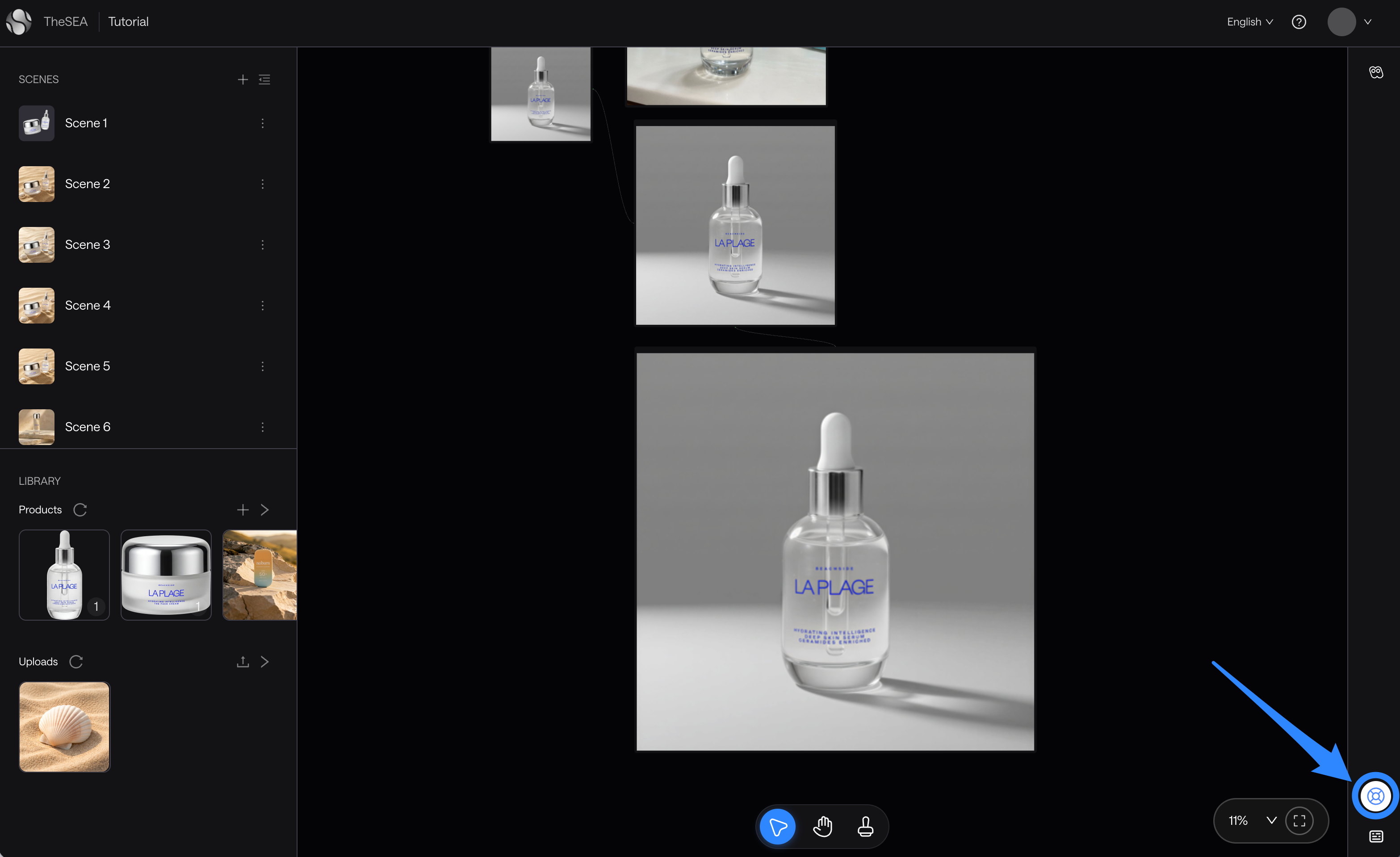
无需离开应用即可找到答案。我们已在 Beachside 中直接添加了一个帮助小组件,可在所有页面随时使用。
你可以通过它做以下事情:
* **直接提问** 我们的 AI 代理了解有关如何使用 Beachside 的一切。只需用自己的话提问,即可获得准确、即时的答案。
* **浏览 Beachside 文档** 查看完整文档。
* **分享反馈或报告错误** 使用我们的 [专用表单](https://theseaai.notion.site/26973d8df43f8027a238e1cdd248711c?pvs=105) 来发送问题或标记任何内容。我们会阅读每一条内容,并认真对待。
**要打开帮助小组件,请点击这里**
***
## 当生成反复失败时
如果某次生成在相同的提示词和输入下持续失败,原因可能是你的指令不被允许。以下是常见触发因素:
**品牌名称和商标。** 在提示中提及产品、品牌或软件可能会触发商标保护,即使你的本意是无害的。比如:
* 不要请求 移除 TheSEA 标志
* 不妨通过其外观和位置来描述该元素: 移除右下角叠加的小文字和图形。
**图片中的标志、面孔和品牌文字。** 带有醒目标志、可识别公众人物或品牌文字的参考图片是常见触发因素。如果某次生成持续失败,请检查源图片是否包含这些内容,并考虑使用其他参考图。
**用视觉方式描述,而不是直接说名称。** 在所有情况下,最可靠的解决办法是用简单的视觉术语描述你想要的内容:形状、位置、颜色、纹理。
***
## 分享你的问题或反馈
你有什么想法吗?无论是问题、错误报告还是想法,我们都很想听听。请使用下面的表单直接联系我们。
{% embed url="" %}
---
# Agent Instructions
This documentation is published with GitBook. GitBook is the documentation platform designed so that both humans and AI agents can read, navigate, and reason over technical content effectively. Learn more at gitbook.com.
## Querying This Documentation
If you need additional information that is not directly available in this page, you can query the documentation by asking a question.
Perform an HTTP GET request on the following URL with the `ask` and `goal` query parameters:
```
GET https://docs.theseaai.com/main/ch/qi-ta/bang-zhu.md?ask=&goal=
```
`ask` is the immediate question: it should be specific, self-contained, and written in natural language.
`goal` is what the user is ultimately trying to achieve, the reason they need the answer. Sharing it helps GitBook give you a better, more relevant answer. A goal is most helpful when it describes the outcome the user wants rather than restating the question. For example, with `ask=how do I create an API token`, a goal like `automate deployments from our CI pipeline` lets GitBook tailor the answer to that use case.
The response will contain a direct answer to the question and relevant excerpts and sources from the documentation.
Use this mechanism when the answer is not explicitly present in the current page, you need clarification or additional context, or you want to retrieve related documentation sections.